


Using my Field Recording footsteps in game
- MattParkinson
- Jul 12, 2019
- 2 min read

Updated: Aug 10, 2019
So as I recently recorded some footsteps with my Zoom recorder, I decided to put them to good use and implement them into the game I am currently working on. Firstly, I editing the footsteps in Pro Tools to ensure that each footstep was of a good calibre and without any interference from background noise, this would distract the player when moving as any interference would become noticeable. After editing in Pro Tools I had to carefully bounce each Footstep into a folder that would be applicable for a certain game terrain.
I was then able to implement these sounds into the game. Just for demonstration purposes I decided to use the gravel sounds I recorded for the purposes of showcasing the before and after effects. From the video below I have uploaded, you can see the steps I took to achieve this. You can see the before sounds that were implemented from the default sound bank provided by 'SoVGA', and the after sounds I implemented.
I have learned from this experience that it is really important to try and capture the sounds with no background interference, as this is what can ruin each sound captured, and as mentioned previously become distracting to the player.
The video below is a quick video demonstrating what I did to record and implement the footstep recordings.
This was the editing phase in Pro Tools before implementing the sounds into Wwise. As you can see, the recorded audio is split up into workable samples that can then be imported into the Wwise programme. I used some High Pass EQ's to moderate the low end of some of the samples due to the bass heavy recording.
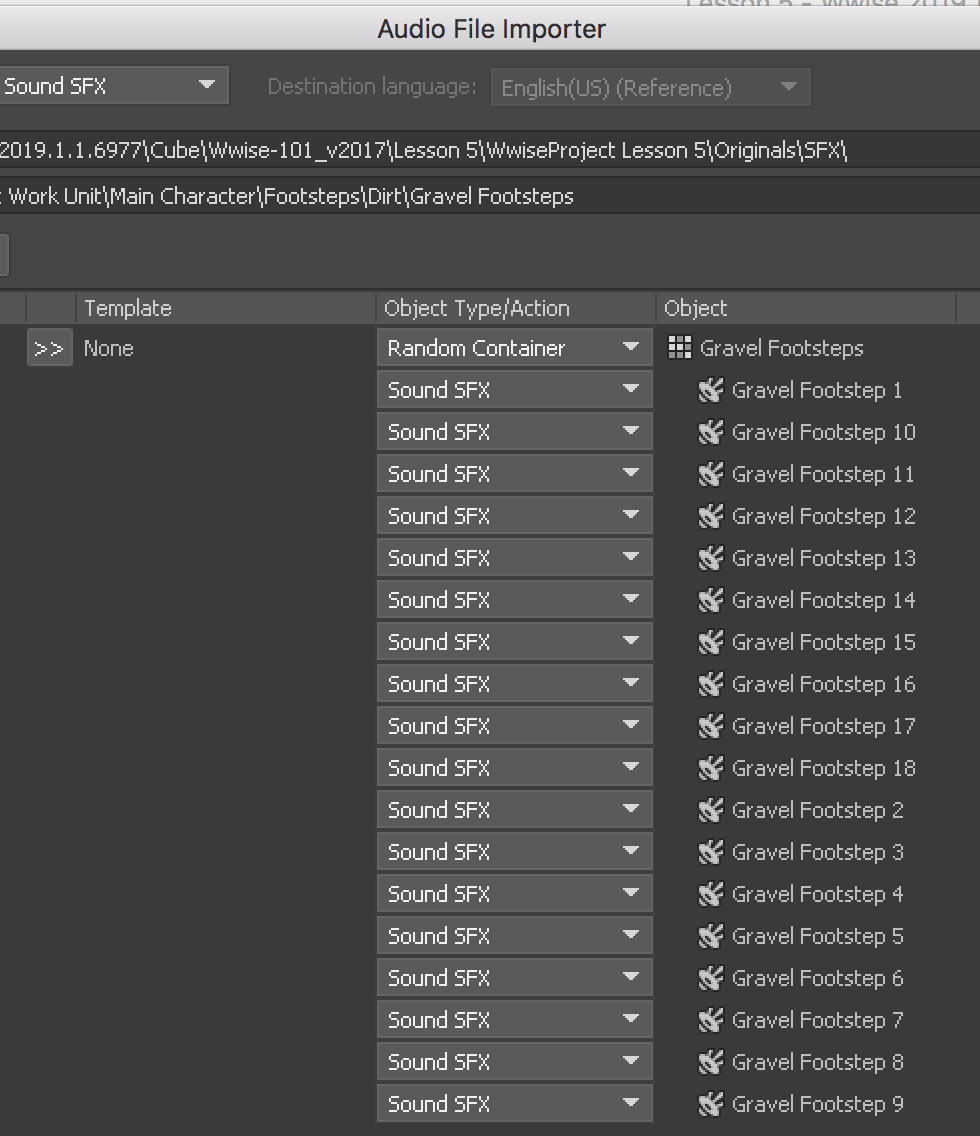
This is how I implemented the sounds into Wwise.
The first port of call was to import the audio files that I had previously edited in Pro Tools into Wwise. You can see by scrolling through the photos below the process of importing these audio files. The audio files first being imported into the random container.



After I implemented the sounds it was then possible to generate the sound bank to replace the original sounds. I first demonstrate in the video the first sound bank, then how missing these sounds affects the gameplay and finally the imported sounds into the game.


Comments